> For the complete documentation index, see [llms.txt](https://boomi.markusschmidt.pro/llms.txt). Markdown versions of documentation pages are available by appending `.md` to page URLs; this page is available as [Markdown](https://boomi.markusschmidt.pro/boomi-console/installation/setup-a-workspace-and-connect/connect-your-project-1.md).
# Connect Workspace
Manually set or change your Boomi Account connection
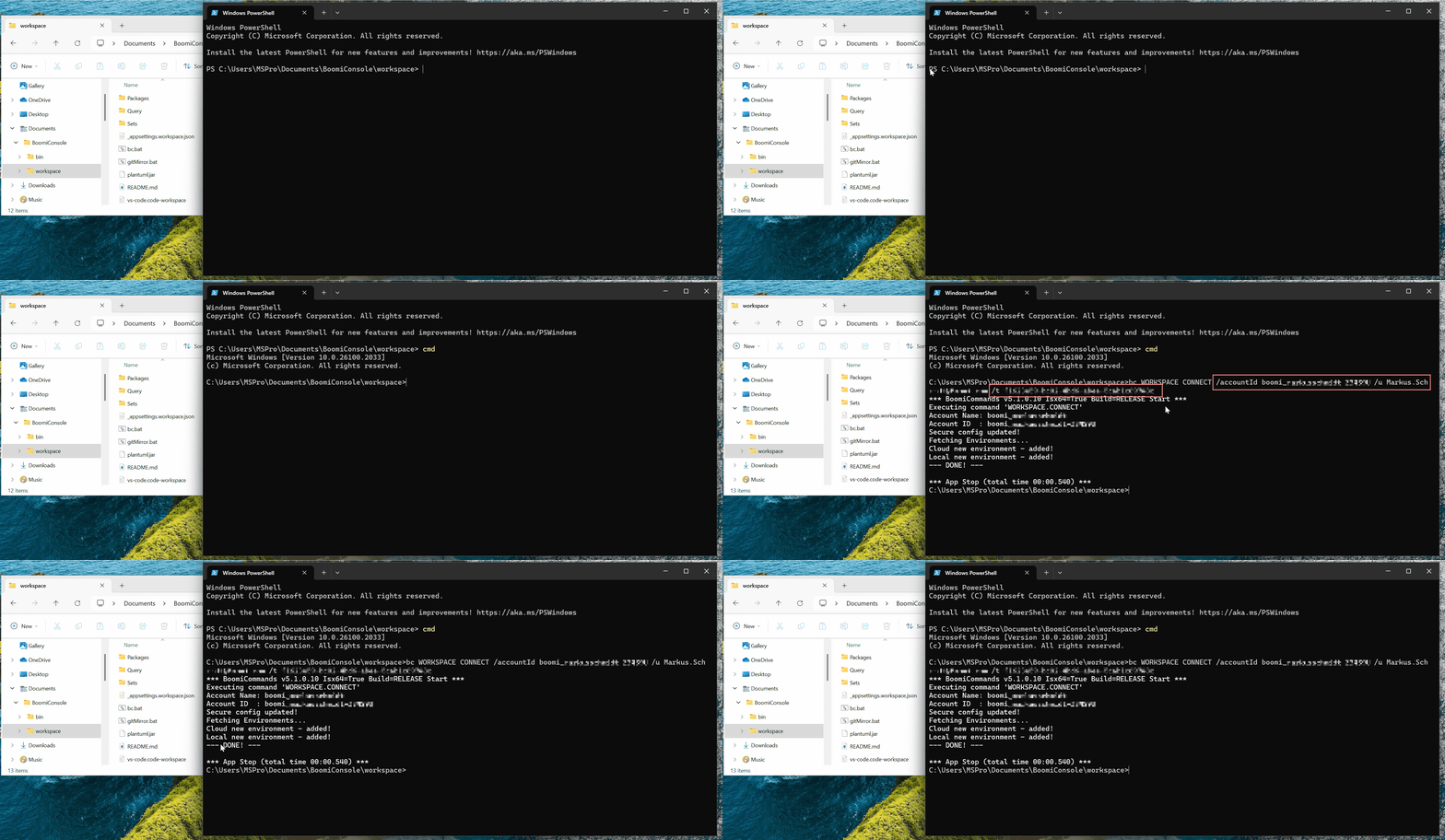
Run the [WORKSPACE CONNECT](/boomi-console/commands/project-configure.md) command in your Workspace. \ Replace the``,``and``placeholders.
[Boomi Account Connection](/boomi-console/installation/setup-a-workspace-and-connect/boomi-account-connection.md)
```batch
.\bc WORKSPACE CONNECT /u /accountId /t
```
As the result, the[Workspace configuration file](/boomi-console/library/configuration-files/atomsphere.config-json.md) has been created and the [Secure Configuration](/boomi-console/library/configuration-files/boomiconsole.user-json.md) has been updated.
You are now ready to [Test Workspace](/boomi-console/installation/setup-a-workspace-and-connect/test-your-project.md).