> For the complete documentation index, see [llms.txt](https://boomi.markusschmidt.pro/llms.txt). Markdown versions of documentation pages are available by appending `.md` to page URLs; this page is available as [Markdown](https://boomi.markusschmidt.pro/boomi-console/installation/setup-a-workspace-and-connect/boomi-account-connection.md).
# Boomi Account Connection
To connect your [Workspace](/boomi-console/library/the-workspace.md) to a Boomi Account you must collect some information first.
1. [**Login to your Boomi Account**](https://platform.boomi.com/AtomSphere.html#build)
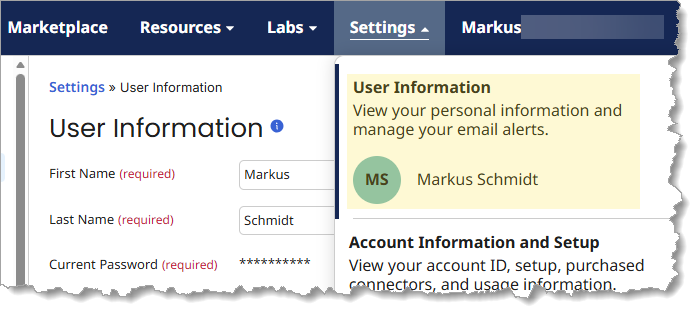
2. Navigate to *Settings -> User Information*
3. Get and **note down three parameters**: *Username*, *Account ID* and *API-Token.*
{% tabs %}
{% tab title="Username" %}
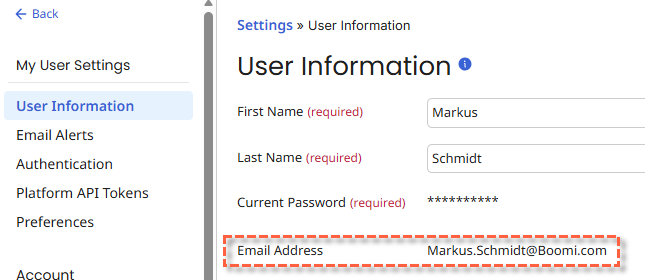
The *Username* is the E-Mail Address you use to login into your Boomi Account.
{% endtab %}
{% tab title="Account ID" %}
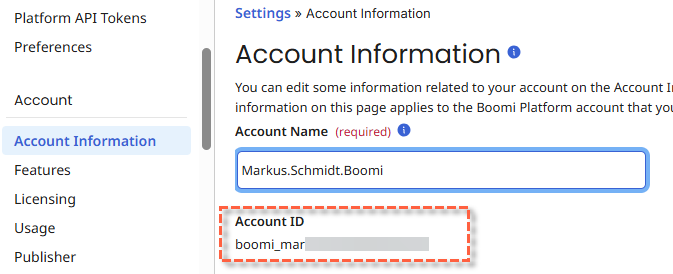
The ID of the Boomi Account that you want to connect with the Workspace.
{% hint style="info" %}
Unless your are a Boomi Consultant you have only one Account.
{% endhint %}
{% endtab %}
{% tab title="API Token" %}
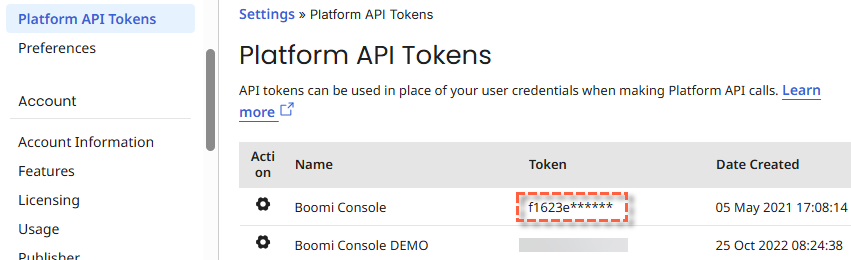
The *Platform API-Token* used to authenticate requests to the platform API.
You can consider the Token to be a password that is used for "technical" logins. I recommend naming a token after the application that uses it: *Boomi Console*. If you don't have a Token yet, create a new one - or ask your admin to do it for you!
{% hint style="info" %}
**Be aware**: Tokens cannot be revealed. Store your tokens in a safe place.
{% endhint %}
{% endtab %}
{% endtabs %}
{% content-ref url="/pages/072hhm327EuwRakqjQsR" %}
[Setup a Workspace](/boomi-console/installation/setup-a-workspace-and-connect.md)
{% endcontent-ref %}