> For the complete documentation index, see [llms.txt](https://boomi.markusschmidt.pro/llms.txt). Markdown versions of documentation pages are available by appending `.md` to page URLs; this page is available as [Markdown](https://boomi.markusschmidt.pro/boomi-console/commands/arguments/common-arguments/components-set.md).
# The Set Argument in Detail
Components Set related arguments
## /Set, /s
Specify a **Components Set Name** used to [resolve component Id](/boomi-console/commands/arguments/common-arguments/command-sources.md)s.
The Components Set file is resolved as follows: `{``SetDir``}{SetName}\cSet.JsonC`
The [output folder](/boomi-console/commands/arguments/common-arguments.md#outdir-o) is set relative to the folder where the `cSet.JsonC` is located.
### Example
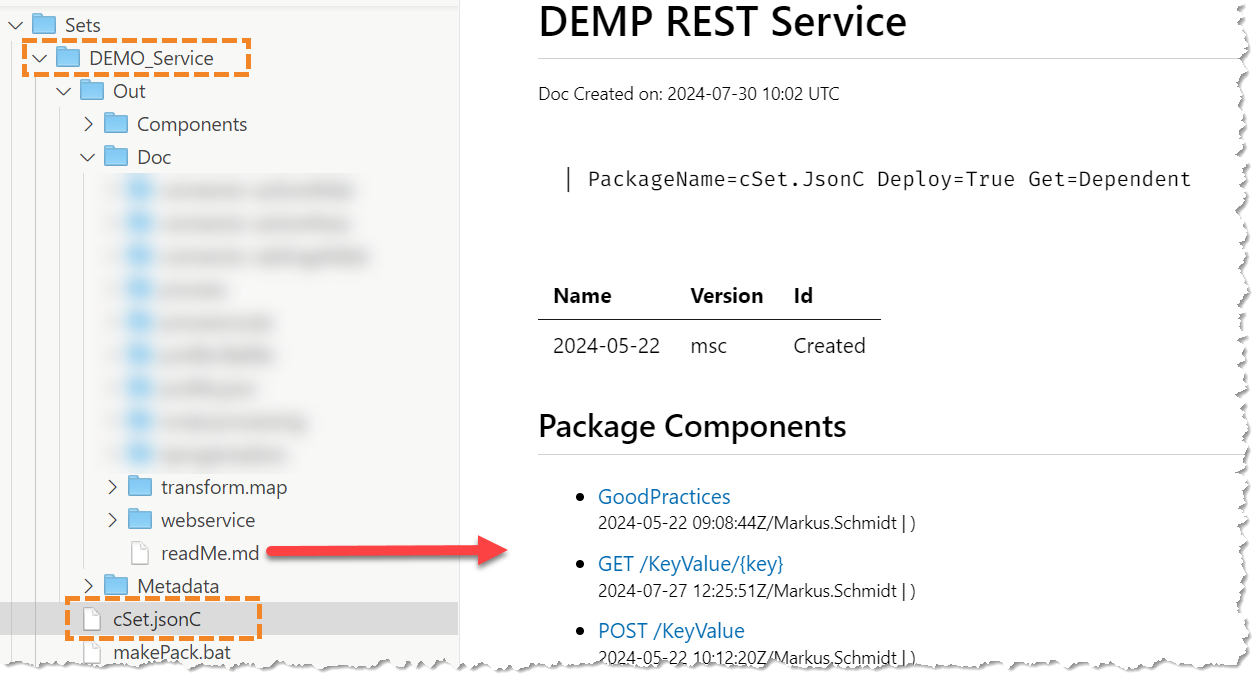
`COMP DOC /s DEMO_Service`
Create a documentation (incl. readme.md) for a Components Set.
DEMO_Service Component Set documentation with readme.md in the out folder
### More arguments
/SetDir
Default = `Packages`
The directory where to look for package files (e.g. iPack.jsonc). Unless you specify an absolute path, the directory is relative to /ProjectDir. The directory must exist, it is not created automatically!
PackageLibDir
Default = `Lib`,`Lib\Shared,Work`
Support Multiple
Specify a list of relative search folders (relative to /PackageDir) where to look for packages. Use this to keep your packages in pre-defined folders.
If you store, for example, you packages in the `Work`folder in the /PackageDir packages are resolved by their name: `/p FWK` (the folder name is enough because the package file has the default name: `iPack.jsonc`).